
LS 09: Lightroom Essentials—Tonal Value
Live Session
Summary
In this livestream, I delve into the fundamentals of tonal value in photography, focusing on how to create impactful edits in Lightroom based. Key concepts we covered include:
• What is Tonal Value? A detailed look at tonal value as the amount of light in an image and its critical role in setting mood, depth, and dimensionality.
• Practical Examples of Contrast: How high contrast creates drama and focus, while low contrast softens the image and sets a quieter tone.
• Lightroom Tools for Tonal Adjustments: A hands-on guide to using the Basic Panel (Exposure, Highlights, Shadows, Whites, Blacks), Tone Curve, and Dehaze to control tonal values.
• Balancing Tonal Value with Color: Exploring the interaction between tonal adjustments and color saturation.
• Developing a Thoughtful Workflow: The importance of planning tonal hierarchy to lead the viewer’s eye and achieve your creative vision.
Finally, I emphasize the importance of having an editing ‘plan’ based on your personal vision for your image. This approach is fundamental to your growth as a photographer, as it allows you to edit with purpose and clarity. Building this skill doesn’t happen overnight—it takes time and patience, and that’s exactly what the Academy is here to support. 🙂
Here’s the final image I edited for reference.
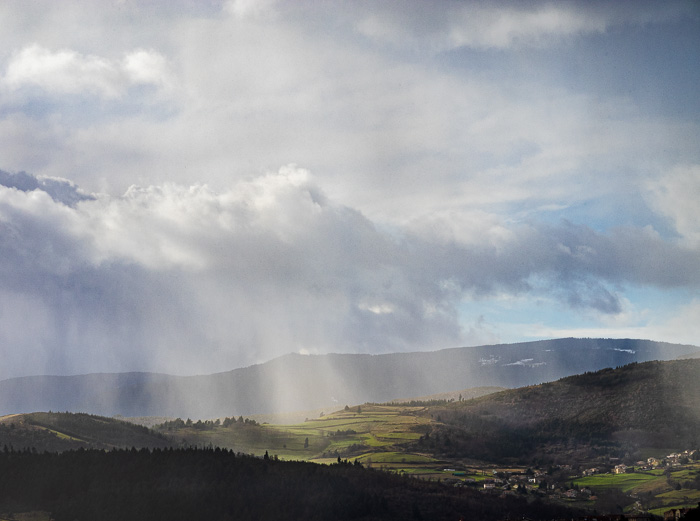
Please share your feedback and questions below!
Hi Robert – I just watched the replay. Thank you for the deep dive into tone and tonal adjustments – I have not seen this emphasis elsewhere.
This is a very complex part of LRC, with nuanced distinctions among similar sliders and terms that are not intuitively meaningful (dehaze as a tonal adjustment, for example).
The subject image was perfect for this use. It was also a great example of an image that out of camera seems impossibly incoherent, but with some small, well-considered adjustments (and dodging and burning of course), becomes a great success.
Tom
Thanks for the feedback Tom, and yes I agree the tonal adjustments can be a challenge to understand at first given how nuanced they are. But hopefully that’s a bit clearer now, and I’ll be clarifying them more in the next livestream with multiple example images!
Great detailed explanations of these tonal controls. In your discussion around the adjustments for the sky, around 45 min or so (exposure vs shadows or highlights), I had this wild idea: to demonstrate such impacts better, wouldn’t it be interesting in the case of working with masks, if the histogram would only show the values within the mask! Then you could better see the impacts of any controls on the tonal values within the mask! What do you think? An adaptive histogram! 🙂
Thanks for the feedback! Yes that would be a cool feature, and I’ve thought about that as well. However, I wonder if that would also reinforce the idea of subdividing the image into its parts from an editing standpoint, which I think makes it harder to keep the focus on the whole image – the 30,000 ft view. Cool idea though…
This session was so helpful. I hadn’t realized how much I didn’t know or understand. Your presentation and detail was excellent; making these adjustments much easier to understand. I’m excited to go back to some older images and apply what I learned.
Joanne
Thanks Joanne, you’re very welcome, and glad it’s inspired you to revisit old images! A great practice for sure.