
Canon PRO-1100 Printer Review: As Good As Desktop Printing Gets

I’ve owned a lot of printers over the years from both Canon and Epson, but one of my all-time favorites has been the Canon PRO-1000. It’s been a dependable workhorse, and I’ve made a lot of prints with it—both for myself and for students in my printing workshops. So when Canon announced a successor, I knew it was only a matter of time before I made the upgrade.
I reviewed the PRO-1000 years ago, but this new review of the Canon imagePROGRAF PRO-1100 stands on its own. Whether you’re investing in your first serious printer or considering an upgrade, my goal is to share a photographer’s perspective grounded in daily use—not technical benchmarks.
As I’ve said before, I make prints to share my photographs—prints that move people, that hold detail, depth, and subtlety. That’s how I judge a printer: not by specs on a sheet, but by the emotional and visual impact of the final print.
A Serious Printer for Serious Work
The PRO-1100 is built for photographers who want the highest level of control and quality in their prints—whether for personal satisfaction, gallery shows, or client work. It handles cut sheet media up to 17″ wide and supports a wide range of fine art and photographic papers. It’s not small—it weighs about 70 lbs and needs a space roughly 29″ wide by 26″ deep—but it’s built like a tank and feels like a piece of professional gear.
Setup is straightforward. You install the 12 Lucia PRO II ink cartridges (yes, 12), pop in the print head, and run the setup utility. I connected via Ethernet, but the 1100 also supports 5GHz Wi-Fi—an improvement over previous Canon models. Still, I recommend a wired connection for stability.


New Inks
The PRO-1100 uses Canon’s new Lucia PRO II pigment inks, an evolution of their already excellent Lucia PRO system. These inks are rated for over 200 years of longevity when used with the right paper—something I care about both for archival reasons and for print clients.
The 12-cartridge system includes four monochrome inks (matte black, photo black, gray, and photo gray), plus primary colors, red and blue gamut extenders, and a Chroma Optimizer—a clear coat applied to glossy and satin papers. This eliminates what’s known as gloss differential, especially in highlight areas where little or no ink is applied. By laying down a uniform coating across the entire print, it ensures consistent surface reflectivity and avoids distractions caused by uneven gloss.
Like the PRO-1000 before it, the PRO-1100 features dedicated channels for both matte black and photo black inks, so switching between matte and glossy papers is seamless. No ink swapping, no waiting, no waste. It’s one of those features you quickly take for granted—until you use a printer that doesn’t have it.
Print Quality: It’s in the Details
Print quality on the PRO-1100 is excellent—no surprise there—but Canon has improved a few critical areas:
- Shadow depth and tonal smoothness are better than before. Deep blacks are slightly richer, and there’s more subtlety in low-light transitions—particularly on high Dmax papers like Canson Infinity Platine or Baryta Prestige.
- Color reproduction, especially in blues and purples, has improved noticeably. Skies, seascapes, and certain flower tones look more lifelike and less muted.
A particularly welcome addition is the new grayscale mode in the driver, which allows black and white images to be printed using only the black and gray inks—no color contamination. This is especially useful when you’re seeing unwanted color casts in neutral images.
Personally, I still prefer to use the paper’s ICC profile for most of my black and white work—especially if I’ve applied toning in Lightroom or want paper-specific tonal control. But for pure, neutral grayscale prints, this new mode is a valuable option.
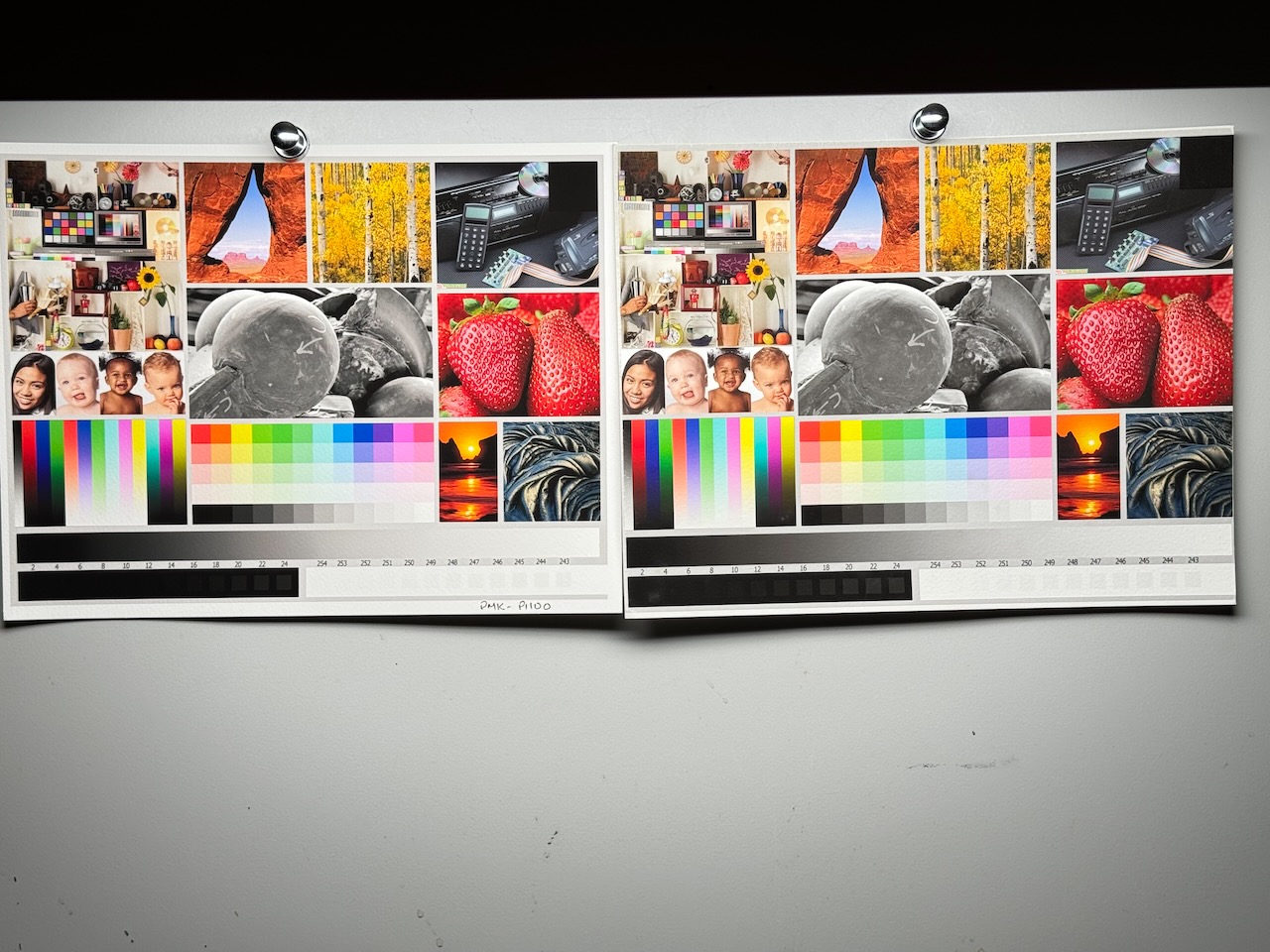


Panoramic Printing
One feature I’m really happy about is panoramic printing: the PRO-1100 can now print sheets up to 129 inches long—that’s nearly 11 feet. No, it still doesn’t support roll paper, but if you’re printing panoramas, this is a great addition. One of the biggest limitations of the PRO-1000 was its max sheet length of just 45″, and I’m glad to see that barrier removed.
Paper Handling and Workflow
Canon printers have always had solid paper feeding mechanisms, and the PRO-1100 is no exception. The top sheet feeder works well for gloss or RC papers and feeds notecards reliably too. The single-sheet manual feed in the back handles matte papers easily—and MUCH more easily than the dreaded Epson front loader. No slippage, no head strikes, no retries.
I print almost exclusively on Canson Infinity papers—Arches 88, Platine Fibre Rag, BFK Rives—and every one of them fed cleanly and printed with rich color, smooth gradients, and deep shadows.
Like the PRO-1000, the PRO-1100 includes a setting to adjust the print head height. It’s called “Avoid Paper Abrasion” in the driver and increases the gap between the print head and the paper—useful when printing on thicker or slightly curled papers like Platine Fibre Rag. It’s a simple but effective way to prevent head strikes.
As before, when printing from the rear feed, you’ll need to confirm the print job on the 1100’s front panel. My workflow is to send the print job from Lightroom, then walk over to load the paper and tap OK when the confirmation appears.
Software
One feature I really appreciate about certain Canon printers—including the PRO-1100—is the ability to customize media settings using Canon’s Media Configuration Tool. This lets you install third-party papers directly into the printer’s driver, making setup more streamlined and reliable.
For example, using a special AM1X file provided by Canson Infinity, I can import each of their papers into the driver. Once installed, I can select the actual paper name—like Arches BFK Rives—in the driver. This ensures the correct media settings are applied automatically.

Not selecting the correct media type is one of the most common mistakes I see students make, and it often leads to reduced print quality—especially in terms of black density and color accuracy. Having these third-party papers installed by name removes ambiguity. It’s a huge workflow advantage and one of the many reasons I continue to favor Canon printers.
Canon’s new Professional Print & Layout software replaces the older Print Studio Pro plug-in. It’s faster, more intuitive, and handles ICC profiles and layouts better. I still prefer Lightroom for my day-to-day printing, but PPL is a great option if you don’t use Lightroom or need more layout control.
Reliability and Support
Printers this complex occasionally need maintenance, which is why Canon’s customer support remains a standout feature for me. I’ve contacted them many times across multiple printers, and they’ve always been helpful, efficient, and—most importantly—available. The PRO-1100 still uses a user-replaceable print head, which is a major plus. No shipping it out. No downtime. Just swap the head and keep working.
What Could be Better
No printer is perfect, and while the PRO-1100 is excellent overall, there are a few things worth mentioning:
- It’s heavy. At around 70 lbs, it takes up a fair amount of space and isn’t exactly portable. You’ll need a solid, deep table and room front and back for paper feeding and output.
- Still no roll paper support. While you can now print sheets up to 129 inches long (a big improvement), roll paper support would’ve made panoramic and batch printing much more convenient. For that, you’ll still need to move up to a 24″ printer like the PRO-2100.
- No native borderless printing on some fine art papers. Like the PRO-1000, borderless printing is still primarily intended for RC or glossy papers. You can trick the driver with margin overrides, but it’s not officially supported for thick fine art media.
- You must confirm rear-feed jobs manually. As before, any time you print using the rear manual feed (which is required for most fine art papers), you’ll need to walk over to the printer and confirm the paper on the LCD panel before it prints. It’s not a deal-breaker, but it adds a step to the workflow.
- Canon’s driver UI is still not the most elegant. It works well, but it’s not particularly intuitive, and the number of places where settings can be made (printer driver, media config tool, Lightroom, PPL, etc.) can be confusing for beginners.
Final Thoughts
If you’re serious about your prints—and by extension, your photography—the PRO-1100 is a great investment. It delivers exceptional image quality, workflow improvements, and the kind of reliability that encourages you to print more often, not less. And as I’ve mentioned, Canon’s customer support continues to be excellent.
If you already own a PRO-1000, the upgrade decision really depends on your needs. Want to print longer panoramas? Looking for deeper blacks or increased print longevity? Then it might be worth considering. Just don’t expect dramatically better print quality—the PRO-1000 still holds its own and remains an outstanding printer.
But if you’re investing in your first professional printer, the PRO-1100 is a smart, future-proof choice. It brings Canon’s best printing technology into your home or studio, with refinements that genuinely improve both the process and the results.
There’s nothing quite like watching a beautiful print emerge—one that truly reflects your creative vision—and the PRO-1100 makes both the experience and the outcome deeply satisfying.
Want to learn fine art printing from scratch?
My free course walks you through everything — from choosing your first paper to making prints you’re genuinely proud of.
Start the Free Printing Course →Ready to grow as a photographer?
The Creative Path Academy is where photographers learn to find their voice, develop their style, and make work they’re proud of. Live sessions, printing workshops, and a community that actually cares.
Learn More About the Academy →
I’ve been debating the pro-1100 or the pro-310 to replace a very old Epson. Are the 12 starter ink cartridges a full 80ml?
I don’t think any of the Canon Pro printers come with full cartridges…all starter, unfortunately. However, the Pro-310 uses 50ml while the Pro-1100 uses 80ml, so while more expensive per cartridge, the cost per ml is cheaper..something to keep in mind. Any other questions let me know!
I wish it was 50ml. The 310 uses 14ml.
ah yes, you’re absolutely right, sorry…even more expensive per volume…